Capture in one keystroke
Ctrl+K opens a focused box from anywhere. Type, press enter, and it is saved.
Free, offline-first, no account
A place to put a thought down in one keystroke and stop carrying it. Works with no connection. Nothing leaves your device.
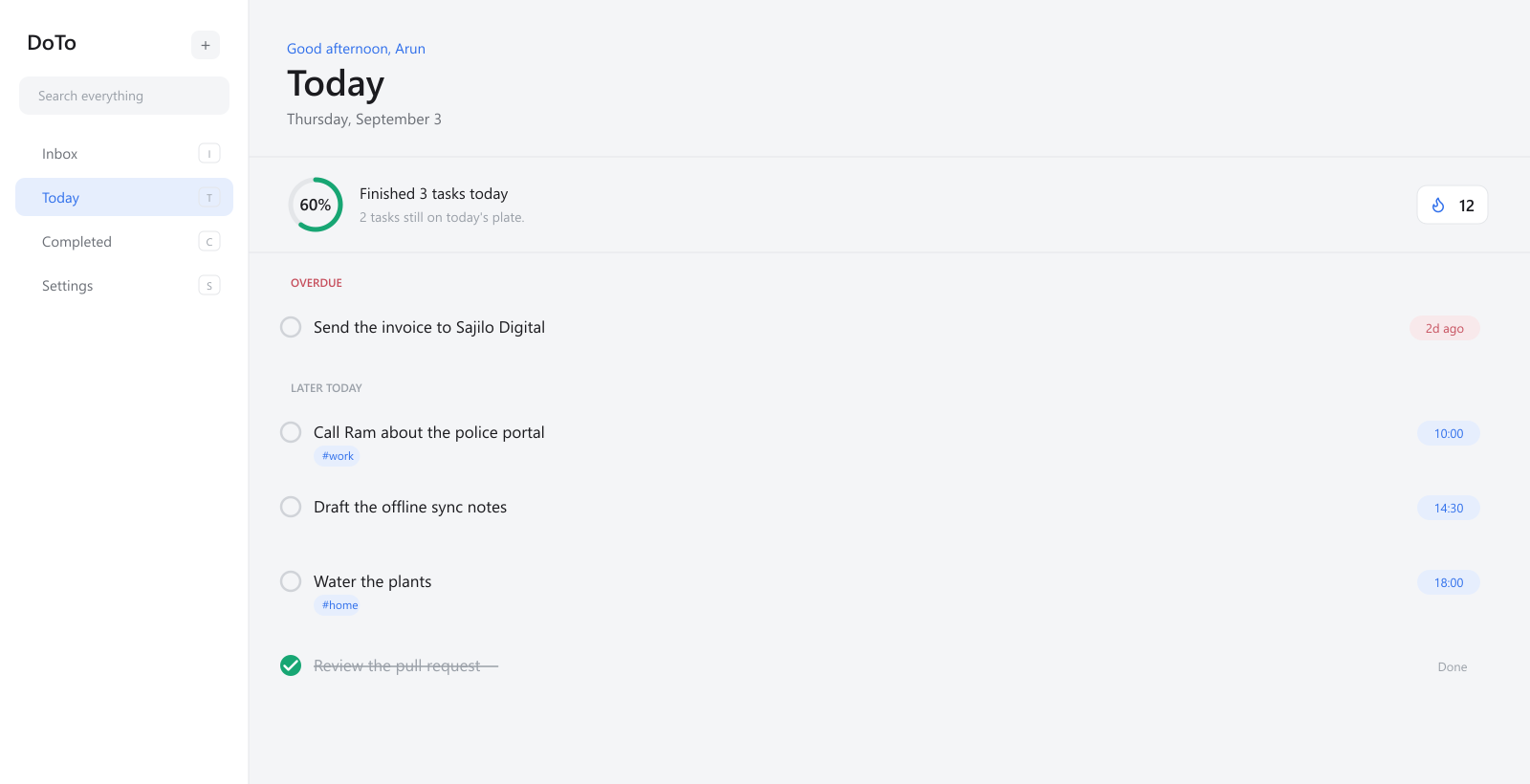
How it works
Something occurs to you mid-way through something else.
One keystroke, a few words, done. No list to choose.
It is in the Inbox. Stop holding it in your head.
Return when it matters, and tick it off.
Capture
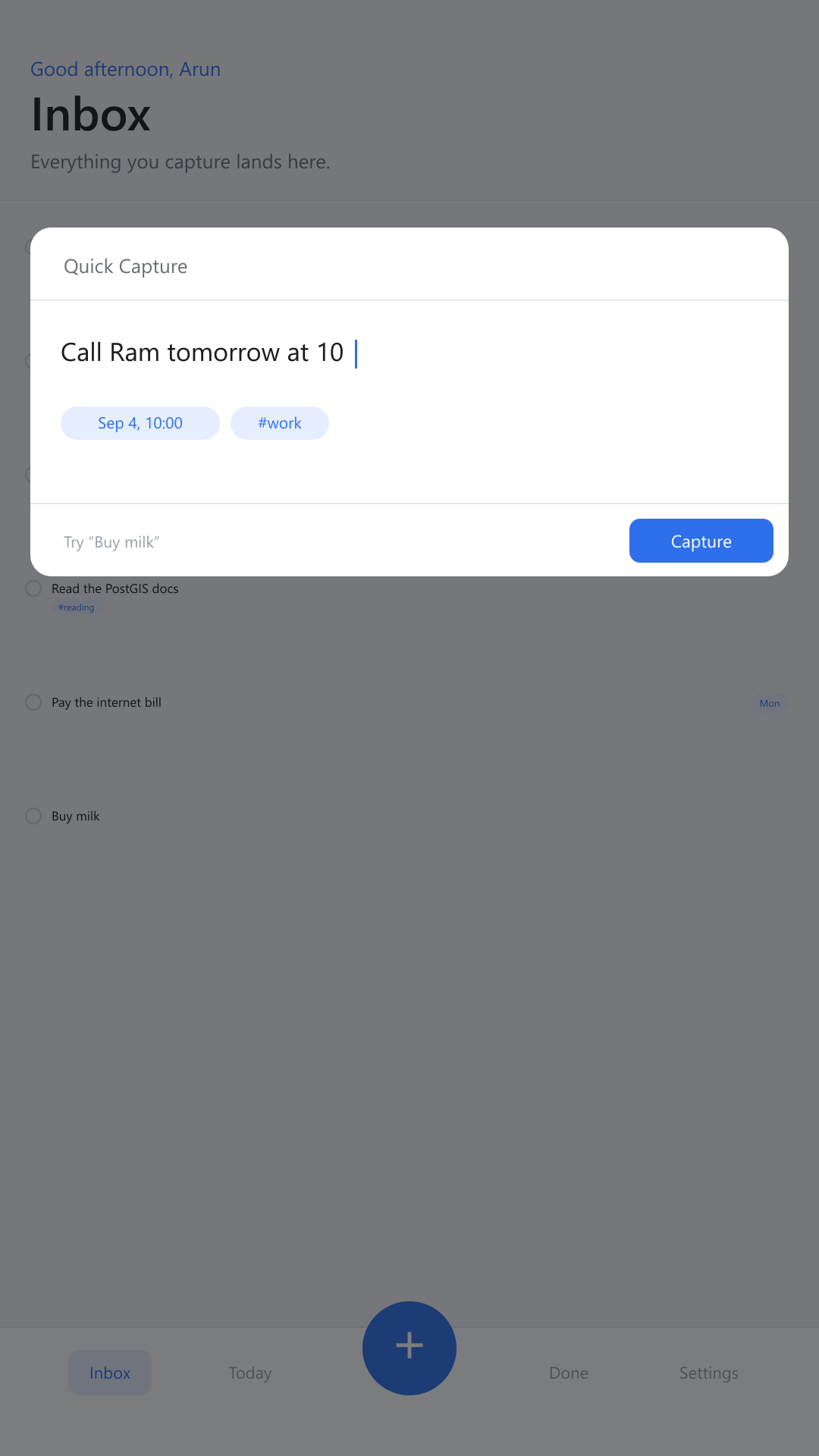
A due date is fastest when you never open a picker. DoTo reads what it recognises out of the line you already typed, and leaves the rest as the title.
You type
Call Ram tomorrow at 10 #work
DoTo saves
Call Ram
Never required. Type Buy milk and you get a task called Buy milk.
What it does
Ctrl+K opens a focused box from anywhere. Type, press enter, and it is saved.
Call Ram tomorrow at 10 becomes a task with a date and a time. Buy milk just saves.
Everything lives in your browser, so it opens on a plane as it does at your desk.
No server to sign in to and no analytics. Export a backup, or erase it all in one action.
Move with J and K, complete with space, undo with Ctrl+Z. Every gesture has a key.
Titles, notes, tags, links, checklists, and attachments, filtered as you type.
Recurring tasks create their next occurrence the moment you finish the last one.
Every colour and radius is a token, so themes swap instantly and stay legible.
The interface
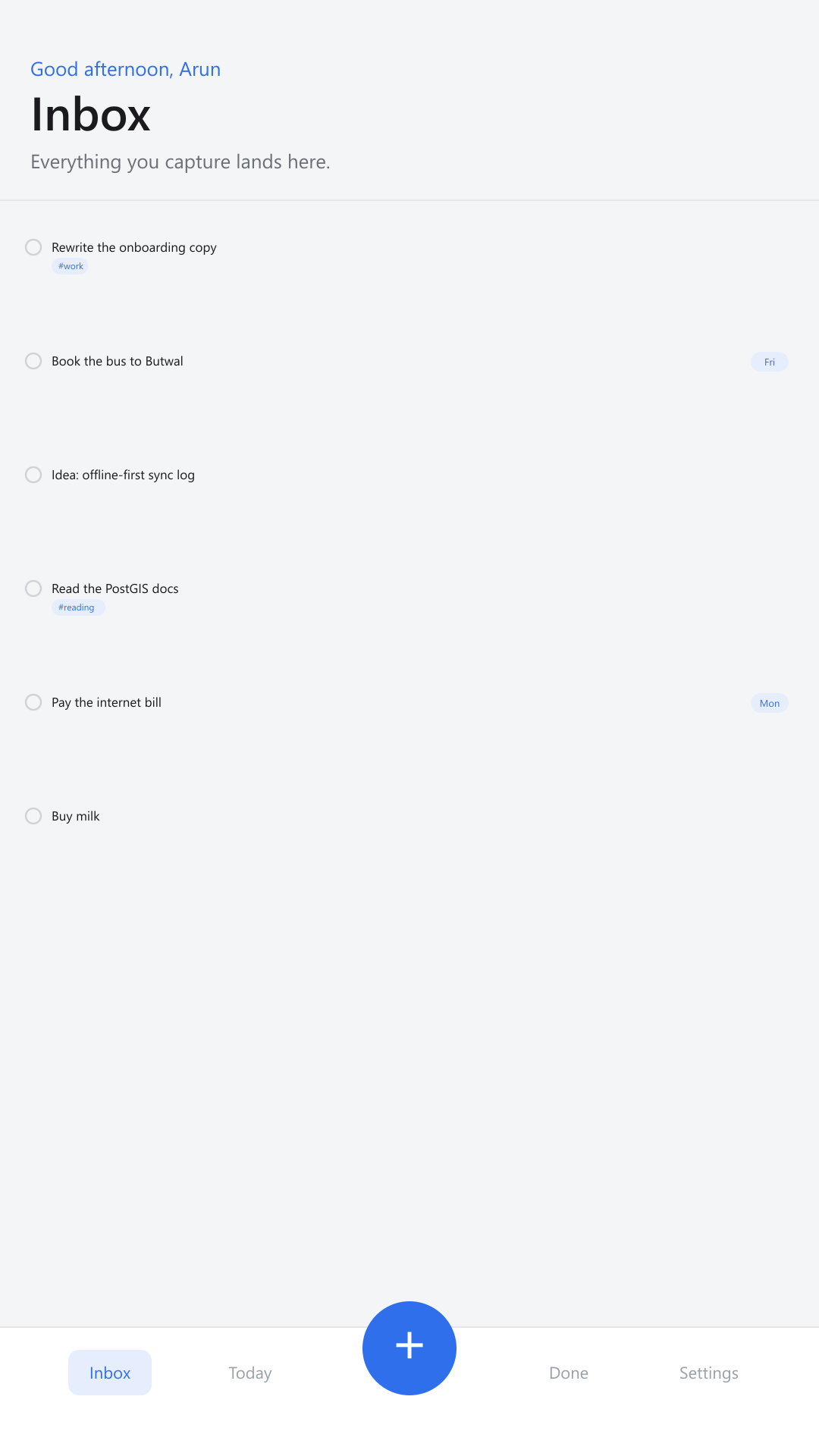
Every surface uses the same design tokens, so a theme change is one attribute and the app stays legible in all sixteen.
Privacy
DoTo has no server. Your tasks, notes, and attachments are held in your browser's own storage, and the app works with the network switched off. No sign-in, no analytics, no advertising code. Export everything to a single file whenever you want it elsewhere, and erase all of it without asking anyone.
Why this matters more than it soundsWriting
5 minute read
Cloud task apps wait on a network round trip before they feel finished. An offline-first app writes locally and is done. Here is what that changes in practice.
Read it4 minute read
DoTo is a progressive web app, so it installs from the browser with no app store. Step-by-step instructions for iOS, Android, Windows, and macOS.
Read it5 minute read
Most task systems fail at the moment of capture, not the moment of doing. Why the time between thought and saved note is the number that matters.
Read itBuilt by
Frontend developer, CTO and Lead Architect at Sajilo Digital, based in Butwal, Lumbini, Nepal. Self-taught, working mostly in React, Next.js, and TypeScript, on systems that solve local problems: offline-first disaster reporting, case management for the Nepal Police, and a WebAuthn platform for a national NGO.
DoTo came out of the same interest. An app that works with no signal, keeps your data yours, and does not ask for an account before it will accept a sentence.
Questions
No account. Works offline. Free to use.